How generative AI is helping, not hindering, human creativity
Adobe’s responsibly built generative AI tools are designed to unleash creators’ imagination while offering time saving benefits
By WP Creative Group
February 12, 2025
A designer transforms a cityscape into a cyberpunk world with the click of a button. Another creator easily extends an image’s background to fit in more sky and clouds. Generative AI tools are increasingly helping creators make transformations like this possible. More than half of Americans said they have experimented with generative AI in 20241, according to Adobe, and more than 80 percent believe it will help boost their creativity. Many creators — from photographers to designers and social media experts — have been early adopters, increasingly embracing generative AI to enhance their workflows and improve the creative process. When used to speed up tedious tasks like removing unwanted objects, like telephone wires from photos, generative AI allows creators to focus on the work they love.
“The widespread adoption of Firefly within our creative applications has been remarkable, and it’s truly inspiring to see the creative community push the boundaries of what’s possible with it.”
– Ely Greenfield, Adobe’s chief technology officer for the Digital Media business
With the rise of generative AI however, creators are also facing unprecedented challenges. They are seeing people use generative AI to impersonate their style and intentionally compete with them in the marketplace. Adobe’s approach to generative AI has been rooted in the belief that AI should advance creative careers, not threaten them, and as such, has introduced a federal anti-impersonation right2 that can help protect creators in the age of AI. Transparency around generative AI also remains a priority for creators, who want clarity on how the generative AI models are developed.
Adobe Firefly, the company’s family of creative generative AI models3, is setting the standard for generative AI designed to both empower and protect creators. “The widespread adoption of Firefly within our creative applications has been remarkable, and it’s truly inspiring to see the creative community push the boundaries of what’s possible when a commercially safe model is in their hands. This is just the beginning — we have an exciting roadmap ahead, with new generative AI tools and innovations to fuel ideation and creation,” says Ely Greenfield, Adobe’s chief technology officer for the Digital Media business.
In 2024, 83% of creative professionals said they are using generative AI tools4.
Launched in spring 2023, Firefly is seamlessly integrated into Adobe applications like Photoshop, Lightroom, Premiere Pro and Adobe Express. It powers capabilities such as Generative Fill for easily adding and removing content from images, and Generative Expand, which extends an image’s canvas beyond its original dimensions. Rooted in the premise that generative AI is a tool for — and not a replacement of — human creativity, Firefly is built responsibly: it’s never trained on customer content but instead on licensed materials that Adobe has permission to use like Adobe Stock and public domain content where copyright has expired. Creators own the content they create with Firefly-powered features, and Adobe compensates creators who contribute to Adobe Stock to help train Firefly. Safe for commercial use and IP-friendly, Firefly empowers anyone — from individual creators to the largest corporations — to create and publish content with confidence. “Our mission with Firefly is to give creators every advantage — not just creatively, but practically,” adds Greenfield.
Since its launch, Firefly-powered features have proven invaluable to creators, who have collectively generated over 18 billion assets globally. “With Firefly, Adobe is uniquely positioned to benefit as content creation accelerates,” says Greenfield. “From ideation to capture, production, and distribution, our tools play an integral role at every stage of the content lifecycle.”
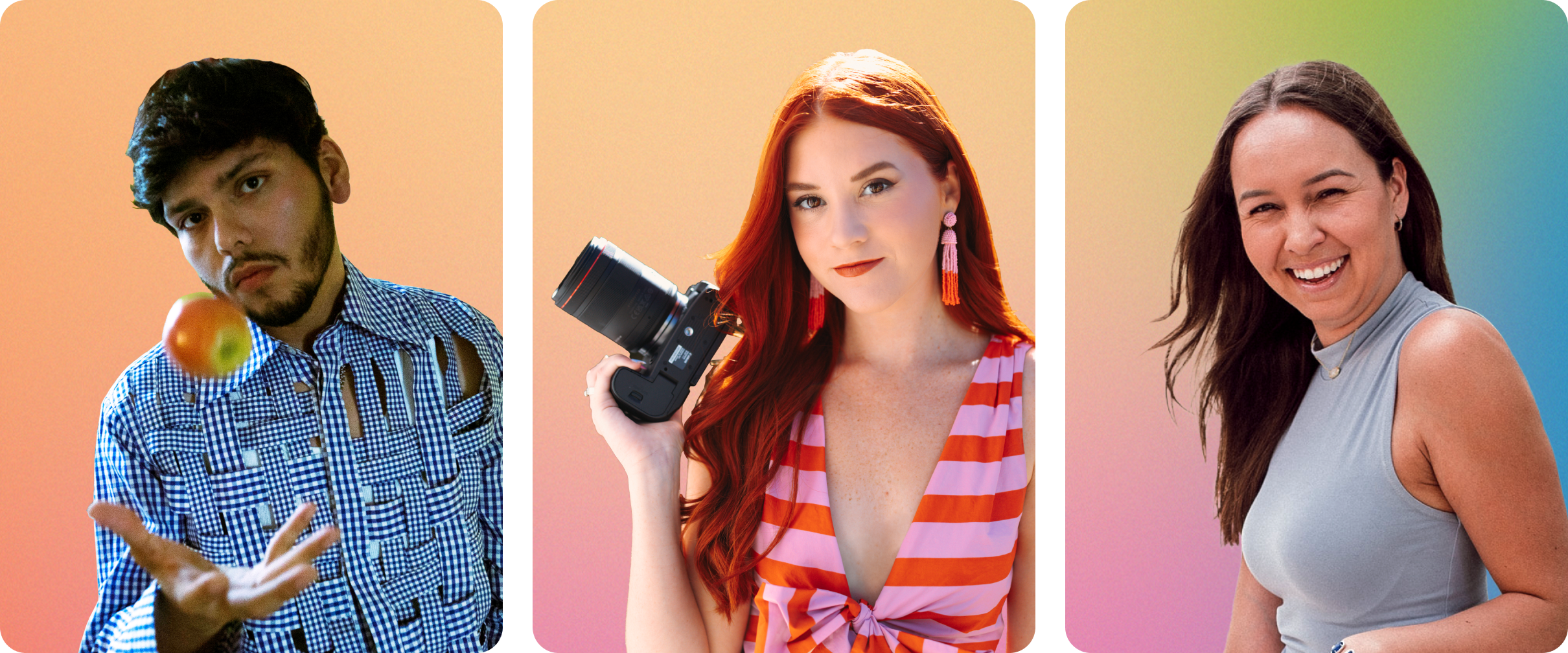
We spoke with three creators about how they’re leveraging Firefly across Adobe applications to supercharge their storytelling.
Bringing colorful, dreamlike images to life
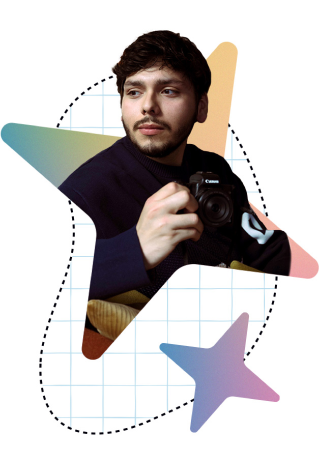
Houston-based visual artist and photographer Alexsey Reyes shoots his brightly colored portraits for musicians and other clients in and around the city’s Hispanic district. His images incorporate themes of self-love, identity, race and unity, and a hallmark of his work is manipulating light to create dreamlike worlds. Reyes relies on Photoshop and Lightroom to perfect his portraits, ensuring his unique style comes to life with precision.
From the planning stages when he creates mood boards, to the editing process, Firefly-powered features in Photoshop and Lightroom are now a critical part of his workflow. When Reyes wanted to incorporate the colors of the Salvadorian flag into a photo of a model from El Salvador, he used the Firefly-powered Generative Fill in Photoshop. In a matter of seconds, he added a blue and white tile floor, plus bows to the woman’s long black braids. “It completely shifted the image, allowing me to represent their culture through the flag’s symbolism, while being more intentional with the color palette and intricate details,” Reyes says. To refine images, he uses Lightroom’s Generative Remove to seamlessly eliminate unwanted objects from his photos, and the AI-powered Denoise feature to quickly reduce distracting digital noise caused by low light.
“It gives me more time to focus on brainstorming concepts and crafting stories that allow for representation in diverse communities, ensuring those messages resonate in the final piece.”
– Alexsey Reyes, visual artist and photographer
“Saving time with generative AI and AI tools and features has been incredibly helpful for my workflow,” Reyes says. “It gives me more time to focus on brainstorming concepts and crafting stories that allow for representation in diverse communities, ensuring those messages resonate in the final piece.”
Another feature in Photoshop and Lightroom gives Reyes peace of mind as he shares his work online: Content Credentials. Through the “nutrition label” for digital content, creators can securely attach information about themselves and their creative process directly to their images, and the information travels with the content wherever it goes online. “It’s that blanket of security that we all need as creators to protect our work and to receive proper attribution,” he says.
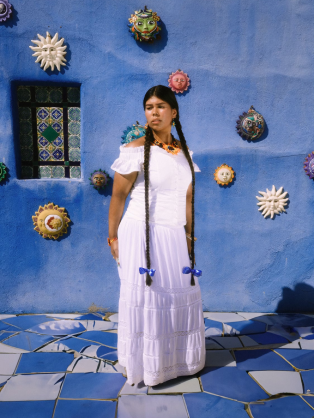

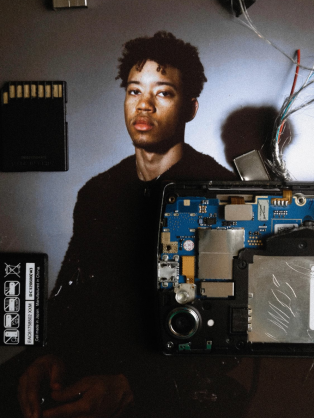
Photography by Alexsey Reyes
Adding surreal elements to portraits

Salt Lake City photographer Marina Williams features bright, bold colors in her creative portraiture and photographs that celebrate people’s milestones. The highlight of her year is an annual photography workshop which includes organizing ten surreal photoshoots and teaching participants how to use generative AI to enhance their work. One of last year’s themes was a 1940s-style circus. “Although we couldn’t procure an elephant for the shoot, we did use Generative Fill in Photoshop to add one in the background in a circus tent,” Williams says. Firefly-powered features also help her fine-tune images. After a photoshoot in Malta in Valletta’s main square, Generative Remove in Lightroom helped Williams erase tourists from the background, helping the model in a ruffled tulle gown stand out. Having Firefly-powered features integrated directly into Creative Cloud applications she uses day to day gives her more freedom to experiment with generative AI features, Williams says.
“Retouching is what I use Firefly for the most,” she says. “Generative AI takes care of the mundane tasks that I don’t love when editing.” When Williams needed to remove scuff marks from a floor in a photo, Firefly did it in mere seconds, versus the 20 minutes it would have taken her before.
“People are always going to have milestones in their life that they want photographed. I see generative AI as a tool to level up my photos.”
– Marina Williams, photographer
Firefly has also transformed her commercial work for brands in the technology, entertainment and beauty industries. Williams is able to edit images more quickly and deliver galleries to clients at a faster pace with more images. She’s also using a recently introduced Firefly-powered Photoshop feature called Generative Workspace to create mood boards with text prompts and her own images. “That’s been really fun to experiment with,” she says. And since Firefly only generates content that is commercially safe, Williams says she can create content for her clients without worrying about infringing on copyright or intellectual property rights. “This is especially valuable when I’m delivering a pitch deck or creating mood boards for clients that might later appear in behind-the-scenes footage shared publicly.” Like Reyes, Williams applies Content Credentials to her images in Photoshop to help protect her work.
72% of consumers think that generative AI — while powerful — will never match a human when it comes to creativity6.
Williams doesn’t believe generative AI will replace her work. “People are always going to have milestones in their life that they want photographed,” Williams says. “I see generative AI as a tool to level up my photos.”


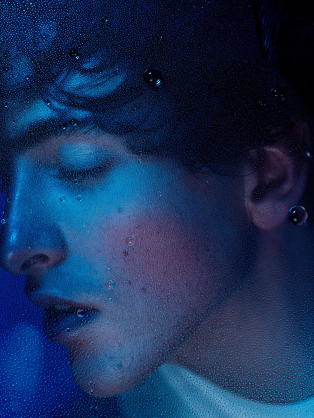
Photography by Marina Williams
Doubling output, without the burn out
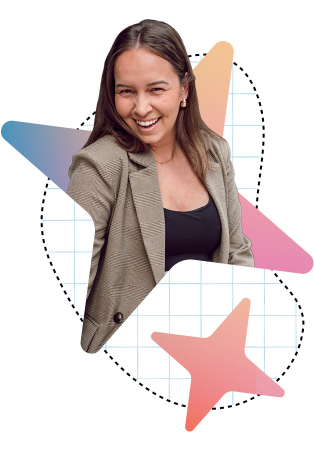
Social media strategist Milou Pietersz came to the U.S. from the Netherlands to play Division 1 tennis in college, drove for Uber Eats and now runs her own agency, Simply Multimedia. Her company creates content for brands and other creators, like best-selling novelists, who need fresh content for their social media posts and email marketing campaigns. Pietersz also generates images and videos to cultivate her own brand. The Firefly-powered Expand tool in Adobe Express is a huge time-saver when she has to resize images so that they fit social media specifications. Expand can also zoom out, so images fit more seamlessly into specifications like website banners to match a landscape setting. In addition, using Firefly features in Adobe Express, she can quickly clean up images, tailor color schemes for clients and add objects to photos.
Firefly also helps fill in gaps when her clients don’t have assets. Instead of searching through dozens and even hundreds of stock images, Pietersz can use Firefly to generate images to match the project. She likes that Firefly isn’t trained on scraped content off the internet. “I would never want someone to recognize their own work in our work,” she says. With Firefly, it’s also much easier to ensure that images are on-brand and that they fit a client’s particular style since there are tools designed to streamline the creation of on-brand content.
“I would never want someone to recognize their own work in our work.”
– Milou Pietersz, social media strategist
Thanks to Firefly-powered features in Adobe Express, she has doubled her output of images for clients. Pietersz emphasizes that to meet the growing demand for standout content, creators and brands must know how to make the best use of tools like Firefly, while continuing to tap into their own creativity. It’s that powerful combination of human creators plus AI that leads to the most compelling content.
“That’s where the magic really happens,” Pietersz says.



Imagery by Milou Pietersz
Learn more about Adobe’s approach to generative AI with Firefly.